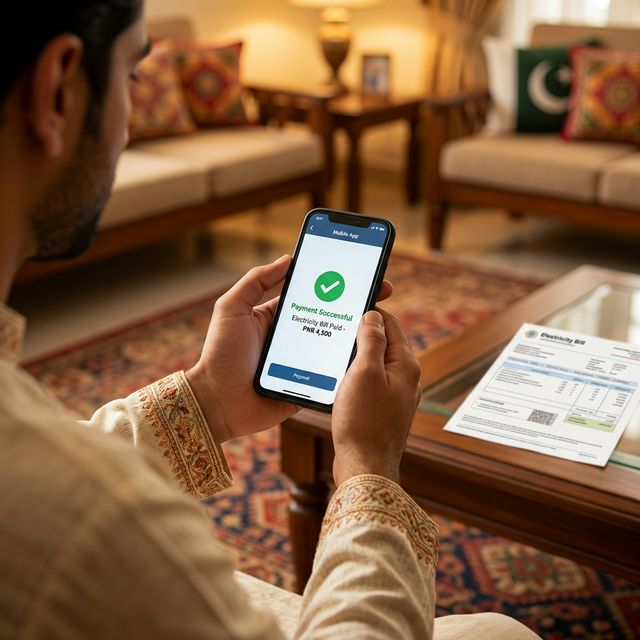
Look, if there is one thing many of us dislike doing in Gujranwala on a hot summer afternoon, it's standing in a queue outside a bank just to pay an electricity bill. These days, most regular GEPCO bill payments can be handled through mobile wallets or banking apps without visiting a branch.
Whether you use JazzCash, EasyPaisa, or a standard mobile banking app, paying your GEPCO bill online is usually quick once your reference number is saved. App names and menu labels can change, so always confirm the biller name, payable amount, and due date on your own bank or wallet screen before paying.
Payment options at a glance
- JazzCash / EasyPaisa: fastest for most people who already use mobile wallets.
- Banking app: best if you want saved billers, receipts, and account history.
- ATM: useful when the app is not working but you have a debit card.
- Bank branch or collection shop: slower, but still useful for people who prefer paper receipts.
Method 1: The Easiest Way (Using JazzCash or EasyPaisa)
If you don't have a traditional bank account, mobile wallets are your best friend. The process is almost identical for both JazzCash and EasyPaisa:
- Open the App: Log into your JazzCash or EasyPaisa mobile app.
- Find Utility Bills: Tap on the "Bill Payment" or "Utility Bills" icon on the home screen.
- Select Electricity: Choose "Electricity" from the list of utilities.
- Choose GEPCO: Scroll through the list of distribution companies until you find GEPCO.
- Enter Your Reference Number: This is the crucial part. You need your 14-digit Reference Number. (If you don't have it, you can quickly find it using the GEPCO Bill Checker on our homepage). Also, if you just got a new meter, check out how to download your Demand Notice before your first bill arrives.
- Confirm and Pay: The app will fetch your current bill amount. Verify the amount, enter your PIN, and hit pay. Done.
Method 2: Using Your Mobile Banking App (HBL, Meezan, MCB, etc.)
If you have an account with Meezan Bank, HBL, Allied Bank, or almost any other major bank in Pakistan, paying your GEPCO bill is built right into their app. I personally use Meezan, but the steps are essentially the same everywhere:
- Log into your banking app and look for the "Payments" or "Bill Payments" tab.
- Tap on "Add New Payee" or "Add Biller".
- Select "Utility" and then select "GEPCO".
- Enter your 14-digit Reference Number.
- The bank will usually display your bill details. Authenticate with your fingerprint or OTP, and wait for the successful payment confirmation.
Pro-Tip: Save Your Biller!
Once you pay your bill through your banking app for the first time, save it as a registered payee. Next month, you won't even need to type the reference number. The app will just notify you when the new GEPCO bill arrives, and you can pay it with one tap.
If you are organizing monthly household bills, keep electricity and gas records separate. For gas-bill lookup, Sui Gas Bill Check is a separate helper for Pakistani consumers; before paying, still confirm the biller name and payable amount inside your bank, wallet, or official gas-company channel.
How Do I Know if My Bill is Actually Paid?
This is a common fear. "What if the money leaves my account but GEPCO has not marked the bill paid yet?" Online payments through official banking and wallet channels are usually processed quickly, but status updates can depend on the provider and billing system. If you want peace of mind, copy your 14-digit Reference Number, go to our homepage, and open your duplicate bill through PITC to review the latest available status. If your bill amount seemed unexpectedly high this month, read our guide explaining how GEPCO unit prices, slabs, and FPA taxes work.
Before you press Pay
- Confirm the biller is GEPCO, not another distribution company.
- Match the reference number with your latest bill.
- Check payable amount and due date.
- Take a screenshot or save the receipt after payment.
- Avoid paying twice if the first transaction is pending. Wait or check your app history first.
Stop wasting your time in lines. Use your phone, pay the bill, and get back to your day!
Official sources: This guide is based on common utility-bill payment flows in Pakistani mobile wallets and banking apps, plus GEPCO/PITC bill reference requirements shown on consumer bills. Always confirm payment status inside your own bank, wallet, the GEPCO duplicate bill page, or the official PITC billing portal.
Frequently Asked Questions (FAQs)
Are there any extra charges or fees for paying GEPCO bills online?
Most standard bank and wallet bill-payment flows show the payable amount before confirmation. Check the app screen carefully because fees, if any, depend on the provider's current policy.
What happens if I accidentally pay the GEPCO bill twice?
Banks and mobile apps often block duplicate payments for the same reference number in the same billing cycle. If a double payment appears to process, contact your bank or wallet support and confirm the next bill status through official channels.
Can I pay a disconnected or late GEPCO bill online?
Yes, you can pay a late bill online, but the system will automatically fetch the "Bill Payable After Due Date" amount (which includes the late payment surcharge penalty). If your meter has been officially disconnected, however, you may need to visit a GEPCO subdivision office to get a manual reconnection order first.