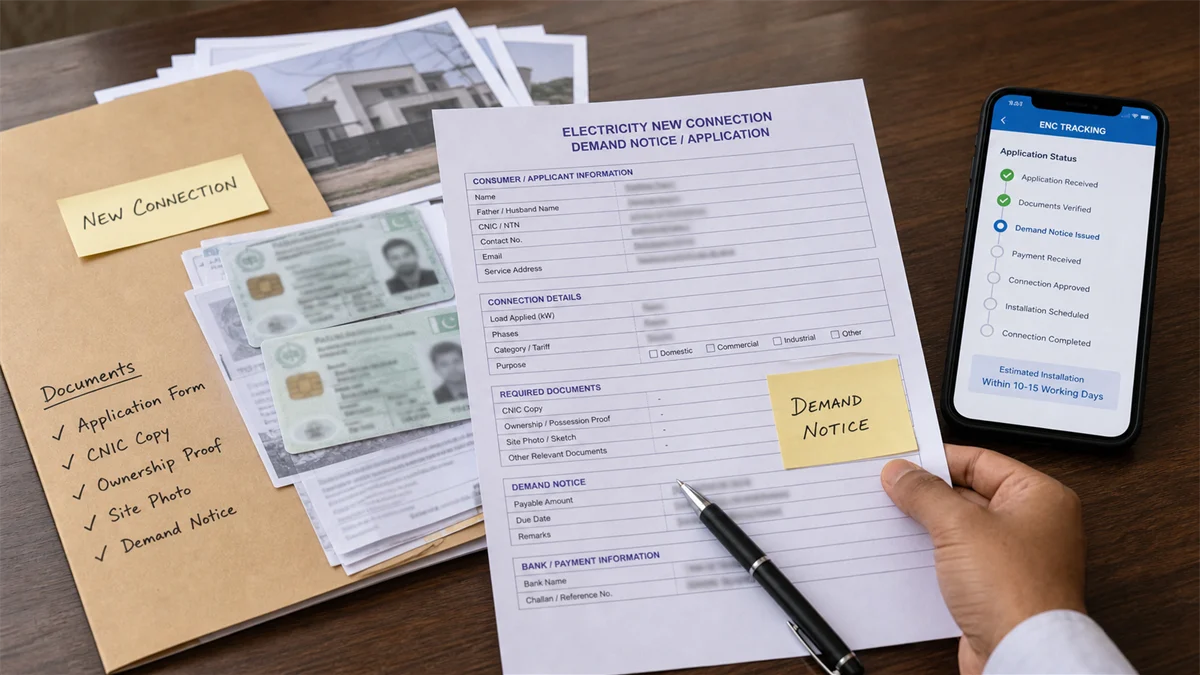
Applying for a new GEPCO electricity connection sounds simple until you actually start collecting documents, tracking the file, waiting for the survey, and checking whether the demand notice has been issued. In Gujranwala, I have seen people visit the subdivision again and again just because they did not save the tracking ID or did not understand what the demand notice meant.
This guide explains the full process in plain language: documents, application route, tracking, demand notice fee, payment, installation timeline, and common delays. If your demand notice has already been issued and you only need to print or pay it, read our separate GEPCO demand notice guide.
Quick Answer
For a GEPCO new connection, apply through the official ENC process, keep your tracking ID, complete the required documents, wait for GEPCO survey/approval, pay the demand notice through the official route, and then follow up for meter installation. Your normal monthly bill starts after the meter is installed and billing begins.
Step 1: Understand Which Connection You Need
A small home, a shop, a tube well, and a factory do not follow the exact same load and tariff requirements. Before applying, decide whether the connection is domestic, commercial, industrial, agricultural, or another category. Also estimate your load honestly. A house with multiple ACs, water motor, and heavy appliances may need a different load than a small two-room portion.
This matters because the sanctioned load affects technical review, possible three-phase requirement, security amount, and future fixed charges. If you are unsure, ask a licensed electrician to estimate the connected load before submitting the file.
Step 2: Prepare the Documents
Document requirements can change by category and official instructions, so always follow the latest ENC/GEPCO requirement shown during application. For an ordinary domestic connection, the usual documents may include CNIC, proof of ownership or lawful occupancy, site/address details, a wiring/test report where required, neighbor reference or nearby bill information if asked, and any undertaking or affidavit required by the official process.
Do not upload unclear photos. A blurred CNIC or half-cut ownership document can slow the file before it even reaches the practical survey stage. If you are applying for a rented property, get the owner-related permission or document requirement clear first.
Simple document checklist
- CNIC copy of applicant.
- Property ownership, tenancy, or occupancy document as applicable.
- Complete site address and contact number.
- Wiring/test report where required.
- Nearby electricity bill/reference information if asked.
- Any affidavit, undertaking, or category-specific document requested by ENC/GEPCO.
Step 3: Apply Through ENC and Save the Tracking ID
The official online route for new connection applications is the Electricity New Connection system, commonly known as ENC. During application, select the relevant distribution company, choose GEPCO where applicable, fill the applicant and premises details carefully, and submit the required documents.
The tracking ID is the most important number after submission. Save it in your phone, write it in a notebook, and send it to a family member. Without the tracking ID, checking the file later becomes unnecessarily painful, especially if you are out of city and someone else is following up in Gujranwala.
Step 4: Survey and Approval
After submission, the application is reviewed and moved through the official process. GEPCO may need to verify the site, load, existing network, transformer capacity, distance from supply, wiring condition, and category. If the site is locked or the contact number is unreachable, the process can slow down.
NEPRA's Consumer Service Manual explains new connection processing and service obligations for distribution companies. The exact time depends on category, load, network position, and whether all documents are complete. Small standard domestic connections are usually simpler than higher-load or special-category connections.
Step 5: Demand Notice and Fees
Once the application is approved, the demand notice is issued. This is not a normal monthly bill. It is a new-connection payment document that may include security, service connection cost, meter-related cost, line/material charges, or other applicable official amounts depending on the case.
There is no single fee that applies to every applicant. A small domestic meter inside an existing populated street is different from a high-load connection or a site needing extra line work. Always rely on the actual demand notice printed from the official system. If someone quotes a fixed amount without seeing your application category and site situation, treat that number as only a rough guess.
Step 6: Pay the Demand Notice Correctly
Pay the demand notice through the official route shown on the ENC portal or printed notice. ENC has demand notice printing and payment-related options, but the exact payment route can depend on what the official screen and document show. Save the receipt, screenshot, or bank proof.
If the demand notice expires before payment, the file can be delayed or require further action. Do not wait until the last day. I would pay it as soon as the document is verified, especially if I am travelling and cannot visit the office quickly.
Step 7: Installation and First Monthly Bill
After payment is processed, GEPCO moves toward meter installation according to the approved category and field schedule. Keep the premises accessible. If the electrician has not completed internal wiring properly, or the service point is not ready, installation can be delayed even after payment.
Once the meter is installed and energized, the connection enters normal billing. Your first monthly bill may not look exactly like later bills because of billing-cycle timing. After the reference number is available, you can use the GEPCO duplicate bill checker to open it through the official PITC portal.
Common Reasons for Delay
Most delays are not mysterious. The common reasons are incomplete documents, wrong address, wrong category, survey pending, demand notice not paid, payment not updated, site not accessible, transformer or load constraint, incomplete wiring/test report, or subdivision workload. Sometimes the file is moving, but the applicant is checking the wrong place or has lost the tracking ID.
If the delay is long, take your tracking ID, CNIC, application copy, demand notice, and payment proof to the concerned office. Keep the discussion specific. Saying "my file is stuck" is less useful than saying "survey is complete, demand notice paid on this date, but installation is pending."
Final Advice
The GEPCO new-connection process becomes much easier if you treat it like a file, not a verbal promise. Keep the tracking ID, documents, demand notice, and receipts together. Check the official ENC status, follow the printed instructions, and avoid paying anyone informally for shortcuts. A clean paper trail protects you if the application is delayed or a payment is not reflected.
References and source notes
1 Electricity New Connection official portal: used for application, tracking, demand notice printing, and payment-route context. View ENC portal
2 NEPRA Consumer Service Manual, revised 2025: used for new connection, consumer service, distribution-company procedure, and billing context. View NEPRA PDF
3 GEPCO official website: used as the official distribution-company reference point for GEPCO consumers. View GEPCO website
Frequently Asked Questions
Can I check a new connection demand notice with a reference number?
Usually no. A new connection file is tracked through the application tracking ID before the regular monthly bill reference number is issued.
How much is the GEPCO new connection fee?
It depends on category, load, security amount, meter/service cost, and site requirements. Use the actual official demand notice amount for your file.
What should I do after paying the demand notice?
Save payment proof, check the official status, and follow up with the concerned office if installation does not move after reasonable processing time.